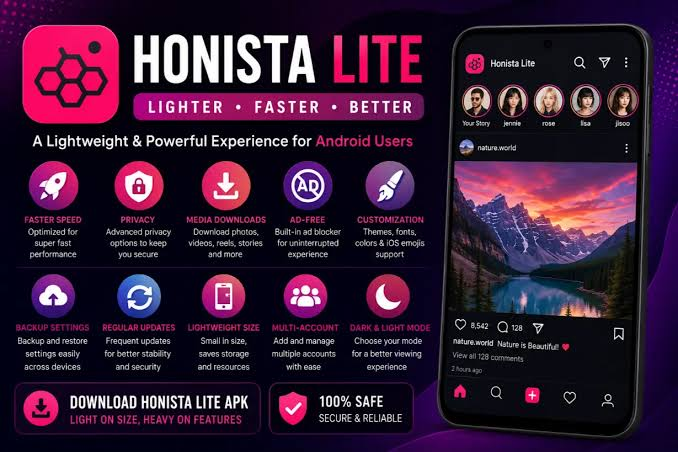

Honista APK is a modified (MOD) version of Instagram that promises extra features not found in the official app, and it has become one of the most talked-about names in the growing trend of modified social media apps for Android. This guide covers what Honista is, what it claims to offer, how it works, and — just as importantly — the risks you should weigh before installing it.
What Is Honista APK?
Honista is a third-party, unofficial modification of the Instagram app, built by independent developers rather than Meta (Instagram’s parent company). Like other “Instagram MOD” apps such as GB Instagram or InstaPro, it takes the base code of Instagram and layers on extra tools: media downloading, interface customization, and privacy features that aren’t part of the standard app.
It’s important to understand what this means technically: Honista is not an Instagram product, isn’t distributed through the Google Play Store, and isn’t endorsed or supported by Meta in any way. It’s a repackaged APK file hosted on independent websites, which changes the risk profile significantly compared to downloading an app from an official store.
Key Features Advertised by Honista APK
Across the various websites promoting Honista, the same core feature set tends to show up:
- Media downloading – Saving photos, videos, Reels, IGTV content, profile pictures, and even stories (including expired ones) directly to your device with one tap.
- Ghost Mode – Browsing profiles, stories, and posts without appearing as having viewed them, and hiding your online/active status.
- Ad-free browsing – Removal of sponsored posts and in-feed advertisements.
- Custom themes and fonts – Dozens of color schemes, UI layouts, and typography options to personalize the look of the app.
- Extended privacy controls – Options like hiding read receipts, typing indicators, or “last seen” status in DMs.
- Caption and comment copying – Quickly copying text from posts, Reels, or comments without manual retyping.
- Custom chat backgrounds – Personalizing the appearance of direct messages.
On paper, these are appealing additions for users who feel limited by the stock Instagram experience. But it’s worth noting that these are the developers’ own claims — there’s no independent, verifiable audit confirming how each feature actually works under the hood or what data it may access in the process.
How Honista Differs From Official Instagram
| Aspect | Official Instagram | Honista APK |
| Source | Google Play Store / App Store | Third-party websites only |
| Updates | Automatic, verified by Google | Manual downloads from the developer’s site |
| Ads | Present | Claims to remove them |
| Media downloads | Not built-in | Built-in downloader |
| Account security oversight | Meta’s official infrastructure | Unverified third-party servers |
| Terms of Service compliance | Compliant | Violates Instagram’s Terms of Use |
This comparison highlights the fundamental trade-off: Honista offers convenience features Instagram doesn’t, but it does so by operating entirely outside Instagram’s official ecosystem.
How to Download and Install Honista APK
Since Honista isn’t available on the Play Store, installing it involves a different process than typical apps:
- Enable installation from unknown sources in your Android device’s security settings.
- Download the APK file from a third-party website.
- Locate the downloaded file in your device’s file manager.
- Tap to install, granting any permissions the app requests.
- Log in with your Instagram credentials (or a secondary account, which many reviewers recommend).
This process itself is a red flag worth pausing on. “Enable unknown sources” is a setting Android deliberately makes you dig for and confirm, precisely because sideloaded APKs bypass Google’s built-in malware scanning (Play Protect) and app review process. Any time you do this, you’re placing trust entirely in the third-party site hosting the file.
Is Honista APK Safe? What You Should Actually Consider
This is the question most competitor articles gloss over with blanket reassurances like “100% safe” or “verified, no malware.” In reality, these are marketing claims made by the same sites distributing the file — not independent security verification. Here’s a more grounded look at the actual risk factors: Download UniTV APK latest version for Android to watch live TV, sports, movies, and entertainment channels for free. Fast, safe, and easy installation.
No official app store review. Apps on the Play Store go through automated and sometimes manual security screening. Sideloaded APKs from unofficial sites skip this entirely, meaning there’s no independent party checking the file for malicious code before it reaches your device.
Login credential risk. Because Honista requires you to log into your real Instagram account inside a modified, closed-source app, you’re trusting an unknown developer with your username and password. There’s no way for an ordinary user to verify what the app does with that data behind the scenes.
Account suspension risk. Instagram’s Terms of Service explicitly prohibit the use of unauthorized third-party apps that access your account. Using Honista puts your account at risk of a temporary lock or permanent ban if Meta’s systems detect non-standard access patterns.
No consistent update or security patch process. Official apps receive regular security patches through the Play Store. Modded APKs rely entirely on the original developer choosing to release updates, with no guaranteed timeline or accountability.
Source verification is impossible for average users. Unlike open-source projects, MOD APKs are typically closed-source, so there’s no way to audit the code for hidden trackers, ad-injection, or data harvesting.
None of this means every modded APK is malicious — but it does mean claims of guaranteed safety can’t actually be verified by the people making them, and the risk is fundamentally different from downloading through an official store.Download Cricfy TV APK latest version for Android to watch live cricket, IPL, PSL, football, and HD sports channels free with fast streaming.
Legal Considerations
Beyond security, there’s a legal and policy dimension worth understanding. Honista is built on top of Instagram’s proprietary code and branding without Meta’s authorization. This means:
- It violates Instagram’s Terms of Service, which can result in account suspension.
- It may raise copyright and intellectual property concerns, since it repackages and modifies a proprietary application.
- Some jurisdictions treat unauthorized redistribution of modified proprietary software as a legal gray area or outright infringement.
If your Instagram account is tied to a business, creator profile, or anything with real stakes, this is a meaningful consideration — not just a theoretical one.
Pros and Cons at a Glance
Potential Pros:
- Free access to media-download and privacy features not in the official app
- Extensive UI customization
- Ad-free interface (as claimed)
Real Cons:
- Not available on Google Play; requires sideloading
- Violates Instagram’s Terms of Service, risking account bans
- No independent security verification of the APK
- Requires entering real login credentials into third-party software
- Inconsistent or unreliable update cycles
- Potential copyright/legal concerns around unauthorized app modification
Safer Alternatives to Consider
If the appeal of Honista is specific features rather than the app itself, there are lower-risk ways to get similar functionality:
- Official Instagram settings already include muting ads-adjacent content, limiting interactions, and archiving stories.
- Legitimate third-party downloader tools exist for saving public posts, some of which work via browser extensions or web tools rather than requiring you to log into a modified app.
- A secondary, non-primary Instagram account if you do choose to experiment with MOD apps, so your main account, contacts, and content aren’t at risk.
Frequently Asked Questions
Is Honista APK free? Yes, it’s distributed free of charge from third-party websites.
Can I use Honista on iOS? Some sites claim iOS compatibility, but Honista is fundamentally an Android APK; iOS versions, if they exist, typically require additional workarounds like third-party app installers, which carry their own risks.
Will I get banned for using Honista? Instagram doesn’t publish exact detection criteria, but using unauthorized third-party apps does violate its Terms of Service, and enforcement action (from warnings to permanent bans) is a real possibility.
Is there an official Honista website? Multiple websites claim to be the “official” Honista source, which itself is a sign of the fragmented, unverified nature of MOD APK distribution — there’s no single authoritative publisher the way there is with apps on the Play Store.Download Vedu APK latest version for Android to stream movies, TV shows, and live entertainment for free. Fast download, HD quality, and easy installation.
Final Thoughts
Honista APK taps into a real desire among Instagram users for more customization, privacy, and content-saving tools than the official app provides. The feature list is genuinely appealing on its face. But it comes bundled with trade-offs that are easy to underplay: no official security review, Terms of Service violations, account-ban risk, and the need to hand your login credentials to an unverified third party.
If you’re considering it, going in with clear eyes about these risks — rather than taking “100% safe” claims at face value — is the responsible approach. For most users, especially those with accounts tied to their real identity, business, or income, the safer path is to explore what’s possible within Instagram’s own settings or through well-established, transparent tools rather than sideloaded MOD APKs.